
One decision layer, from policy to proof
NEXUS ADI governs any kind of operational decision: purchase orders, invoices, shipment releases, refunds, claims or actions proposed by AI agents. Administrators define the decision, the rules and who handles exceptions. No code is required.
Your decisions, your rules
Decision classes describe each kind of decision in your own terms: the fields that matter, who reviews what and how fast, what counts as a good or bad outcome, and how fresh data must be.
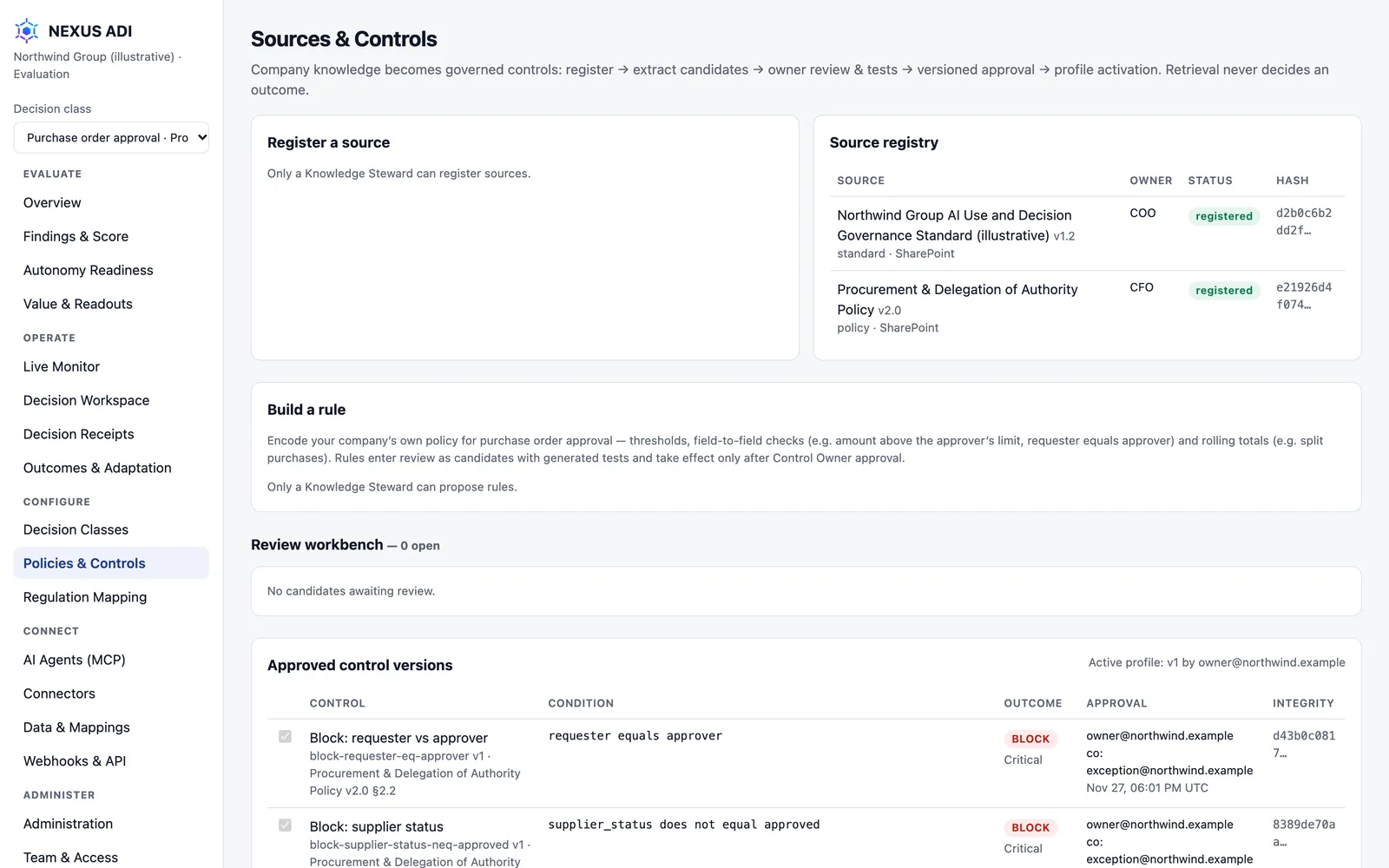
- Policy to controls. Upload a policy, SOP or delegation-of-authority document. NEXUS proposes candidate rules with the exact citation and generated test cases. Optional AI drafting is validated against your fields and the policy text.
- No-code rule builder. Thresholds, field-to-field checks (amount above the approver's limit), rolling totals (split purchases) and one-click templates for duplicates, velocity, authority limits and missing evidence.
- Governed change. The person who proposes a rule cannot approve it; sensitive rules need a second approver; approved rules go live as a versioned profile.
Example rules (procurement)
| Supplier status is not approved | BLOCK |
| Requester equals approver | BLOCK |
| Amount above approver limit | HOLD |
| Unit price above contract price | REVIEW |
| Several POs under $25,000 to one supplier totalling more within 72 hours | REVIEW |
From the illustrative procurement policy in the evaluation environment.
Decide, route and monitor in real time
Approved actions go ahead. Everything else is stopped or routed before it executes, never corrected after the fact.

Decision Hub
Evaluates every proposed action against the active rules with fixed precedence (block, then hold, then review, then approve). It never approves when rules, mappings or required data are missing or stale.
Decision contracts
Each decision records the rule, citation, evidence, policy and mapping versions, and an integrity hash. Later approvals or exceptions add versions; nothing is overwritten.
Decision Workspace
Review and hold queues for the accountable role, with SLAs. Blocks can only be overridden by an exception authority, with a recorded reason.
Live Monitor
Throughput, dispositions, SLA breaches and alerts, including data that drifts from its approved shape.
Outcomes & Adaptation
Outcomes reconcile against decisions. The Adaptive Loop pinpoints the one stage that missed (mapping, prediction, rule or routing) and proposes a change for approval.
Webhooks
Signed events (decision evaluated, handled, outcome reconciled, alert raised) open tickets, post to chat or release held orders in your ERP.
Prove the value before you automate more
Run NEXUS in shadow mode beside your current process, replay history, or monitor live traffic. Every number is labelled by how it was obtained: observed, customer-validated, modelled or projected.
- Decision Integrity Score™ with findings: missed controls, alignment with your current process, data readiness.
- Autonomy Readiness: tiers per kind of action, from matured outcomes with 95% confidence intervals.
- Value model separating projected from observed value, using your own inputs.
- Executive Readout and Audit Report as PDFs.
Evaluation modes
| A · Historical | Replay a CSV export of past decisions. |
| B · Shadow | Evaluate live proposals beside your current process, without changing it. |
| C · Monitoring | Continuous evaluation with alerts and routing. |
Controlled execution, where NEXUS directly releases actions, is deliberately disabled in this edition. Your systems act on NEXUS's answer.
Evidence an auditor will accept
Tamper-evident record
Evidence tables are append-only in the database, and the audit log is hash-chained and verifiable in the app.
Decision receipts
Notarize decisions made elsewhere with SHA-256 fingerprints only. TypeScript and Python SDKs are included.
Regulation mapping & Trust Center
Requirement-by-requirement coverage, and time-limited evidence access for auditors and regulators.
An expert on every page, who knows your account
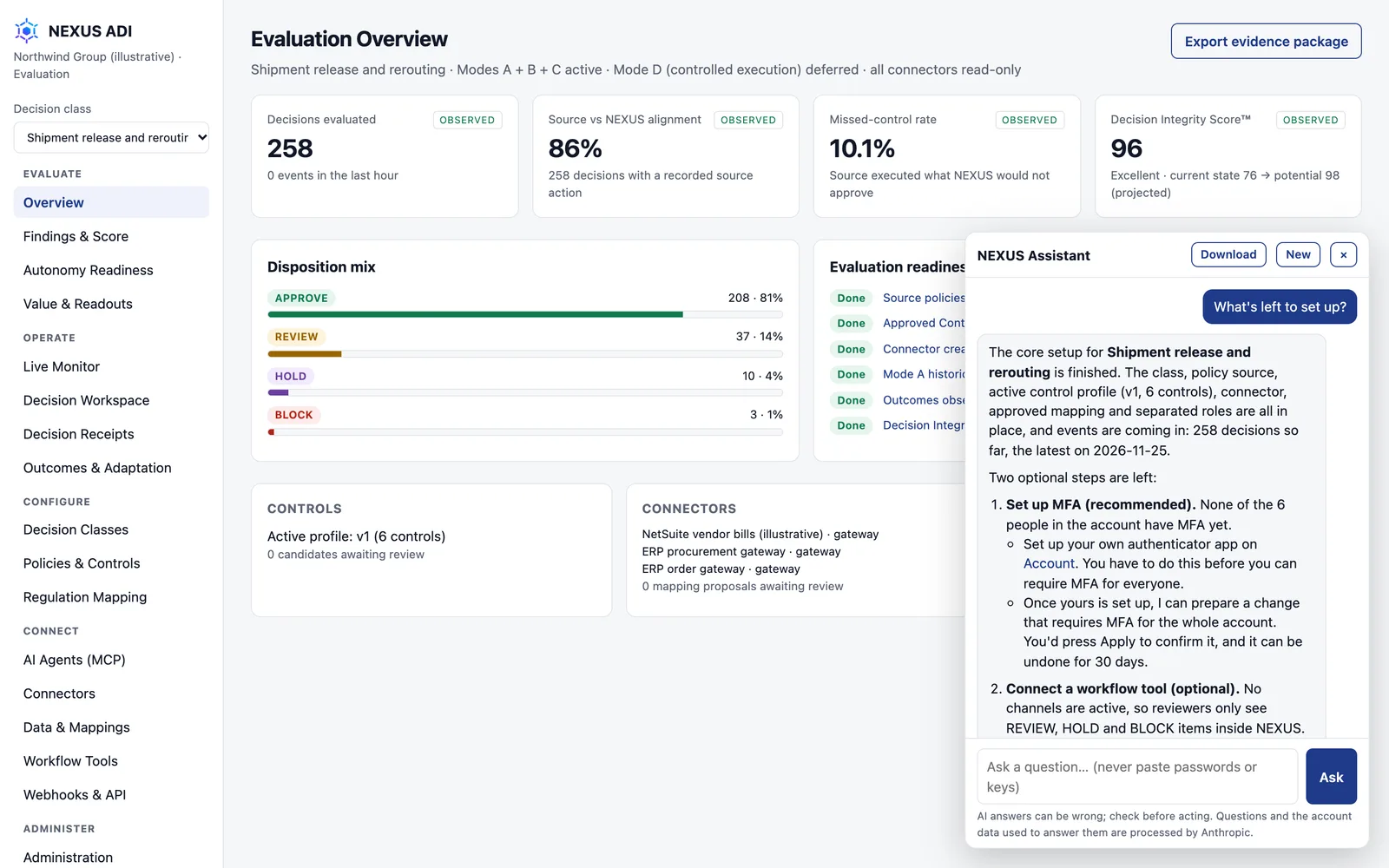
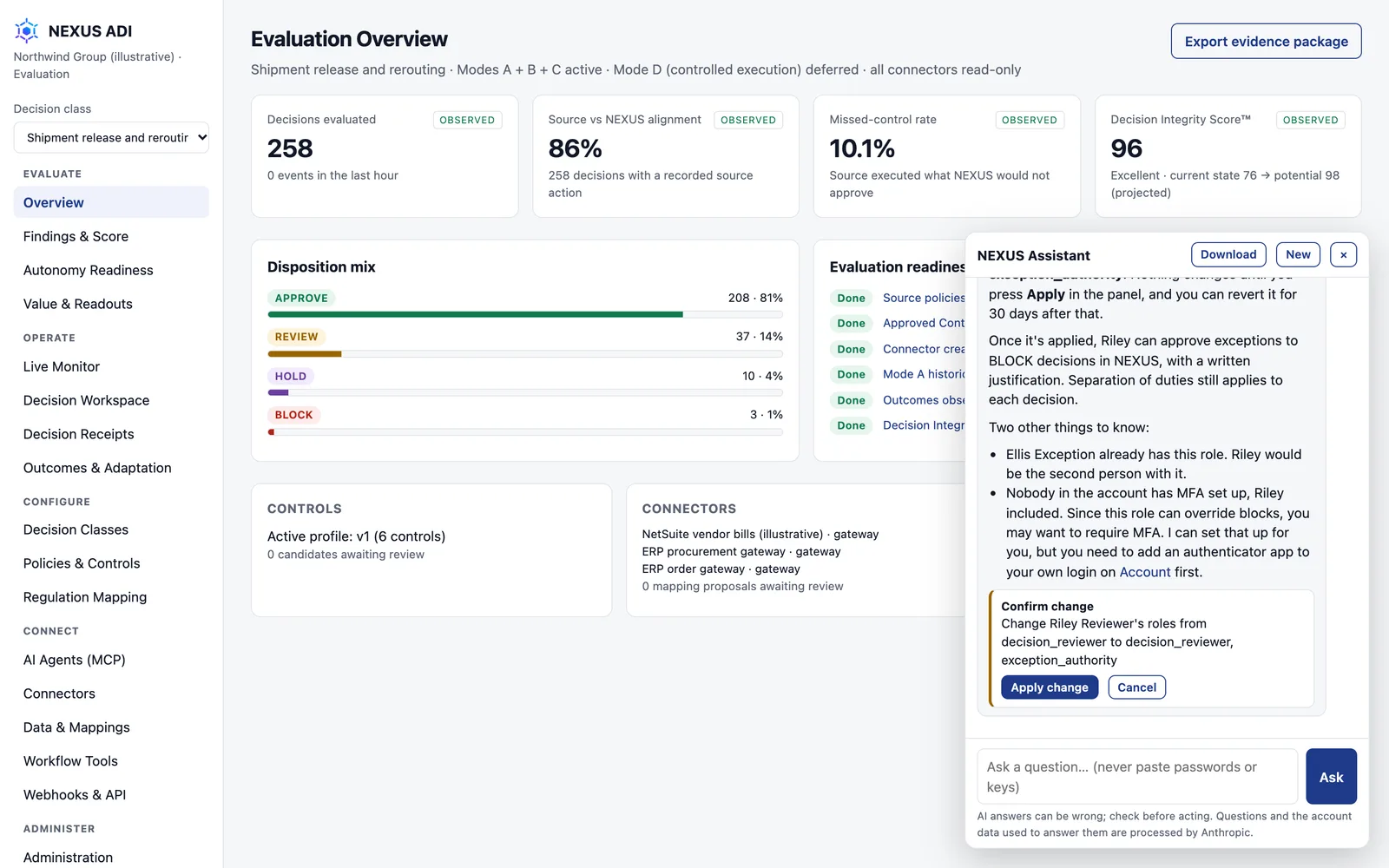
Ask what is left to set up, why a purchase order was held, or how to connect Slack for approvals. The assistant reads your own configuration, decisions and integrations to answer, links you to the right page, and hands off to support with what it already checked.
Built to be trusted
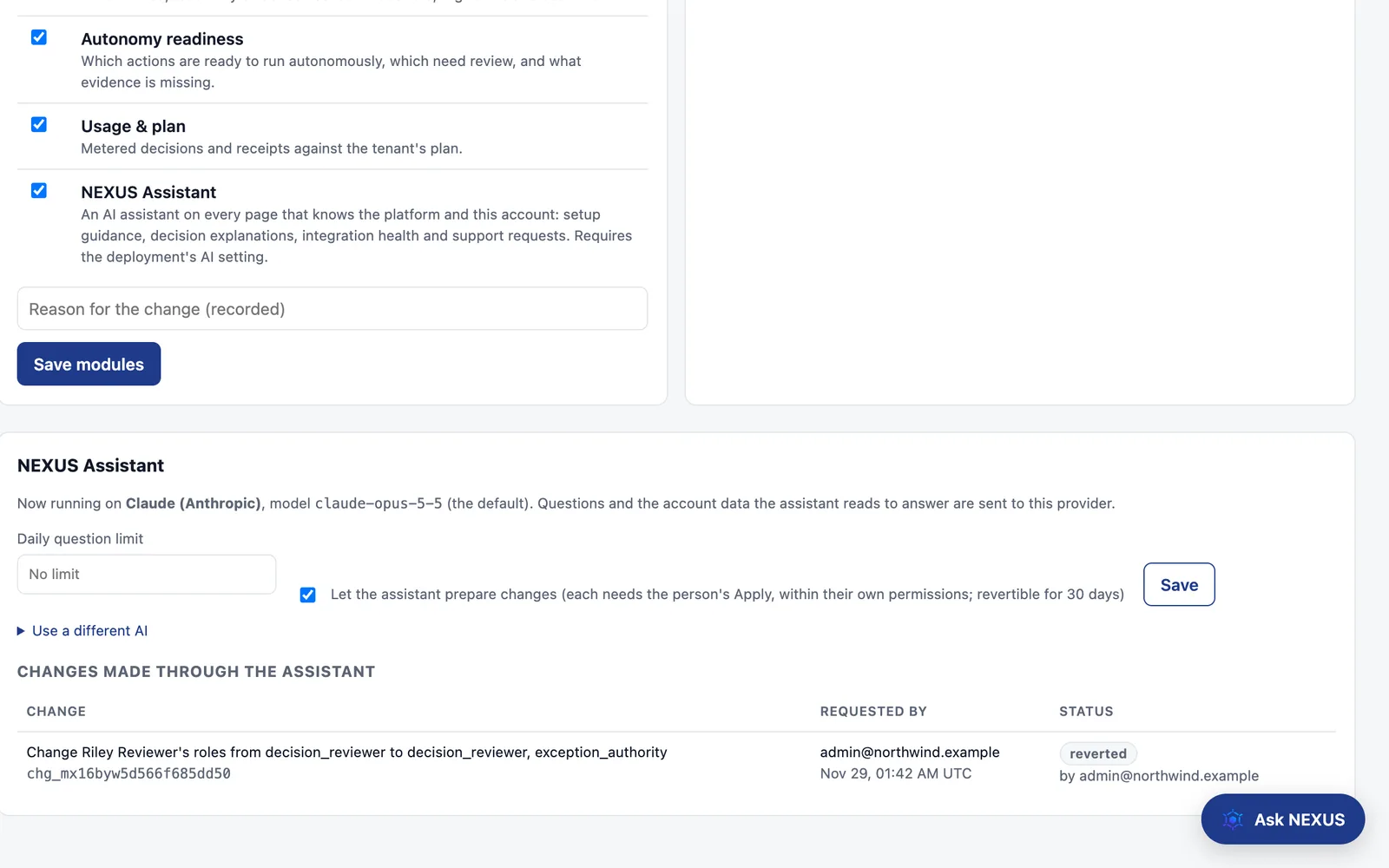
- Changes only with your Apply: it prepares configuration changes you are allowed to make, and you can revert them for 30 days.
- Decisions, approvals and credentials stay with people, in NEXUS.
- Sees only your account, and respects roles: team and billing details stay with admins.
- Never asks for passwords or keys, and removes them if pasted.
- Admins control it: optional daily limit, changes on or off, and the choice of AI (Claude by default).
- Download any conversation as a document, with the changes it prepared and their status.
Enterprise administration in one place
Modules
Turn capabilities on or off per tenant. Changes are versioned and audited.
Team & Access
Invitations, separation-of-duties roles, authenticator MFA and deactivation.
Keys & usage
Scoped, revocable API keys; metered usage and plans.
Multi-tenant
Tenant isolation on every query, plus a provider console for operating NEXUS as a service.
Deployment: a container plus PostgreSQL in your cloud (AWS, Azure, Google Cloud) or a managed evaluation environment.